Setting up a Nexus Repository for Maven
Spinning up a fast nexus repo
docker volume create nexus-data

docker run -d \ --name nexus \ -p 8081:8081 \ -v nexus-data:/nexus-data \ sonatype/nexus3:3.79.0
nexus uses H2 database I think, so it will take a while to start up.
Then check logs for
“Wait for Started Sonatype Nexus...” before hitting the UI.
docker logs -f nexus
So once we get that, we can get the configured admin password
docker exec nexus cat /nexus-data/admin.password
Nexus structure’s typical setup:
maven-public(group) → what every developer’ssettings.xmlmirror points tomaven-releases(hosted) → where your org’s own release artifacts get publishedmaven-snapshots(hosted) → where your org’s own SNAPSHOT builds get publishedmaven-central(proxy) → caches Maven Central so you’re not hammering the public internet on every build
normally developers only use the maven-public and they talk to the group (maven-public)
how to use our repo
so ~/.m2/settings.xml is our mirror settings :
<settings xmlns="http://maven.apache.org/SETTINGS/1.0.0"
          xmlns:xsi="http://www.w3.org/2001/XMLSchema-instance"
          xsi:schemaLocation="http://maven.apache.org/SETTINGS/1.0.0 http://maven.apache.org/xsd/settings-1.0.0.xsd">

  <mirrors> <!--this config is for pulling from my nexus-->
    <mirror>
      <id>homelab-nexus</id>
      <mirrorOf>*</mirrorOf>
      <url>http://localhost:8081/repository/maven-public/</url>
    </mirror>
  </mirrors>

  <servers>
    <server>
      <id>homelab-nexus</id>
      <username>maven-user</username>
      <password>whatever-password</password>
    </server>
    <server>
      <id>homelab-releases</id>
      <username>maven-user</username>
      <password>whatever-password</password>
    </server>
    <server>
      <id>homelab-snapshots</id>
      <username>maven-user</username>
      <password>whatever-password</password>
    </server>

  </servers>

</settings>
this means it will push repos for all maven to the settings here in your machine
User or role
so the nexus platform team will already created a role and assigned that role to the user in the nexus service.
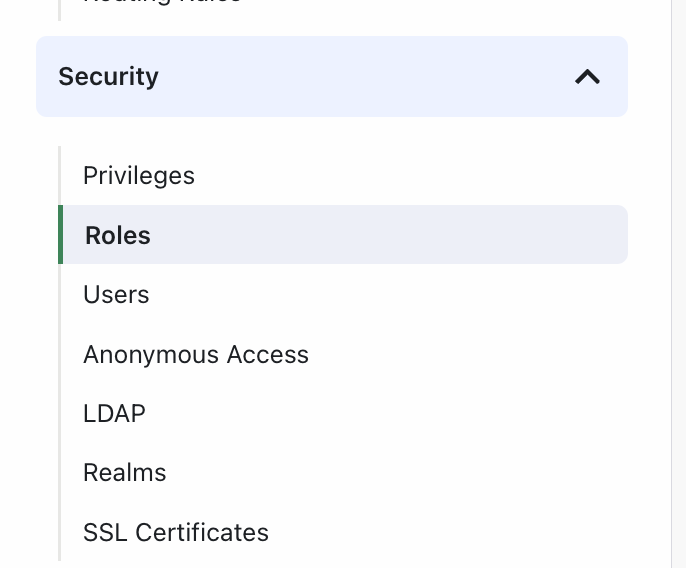
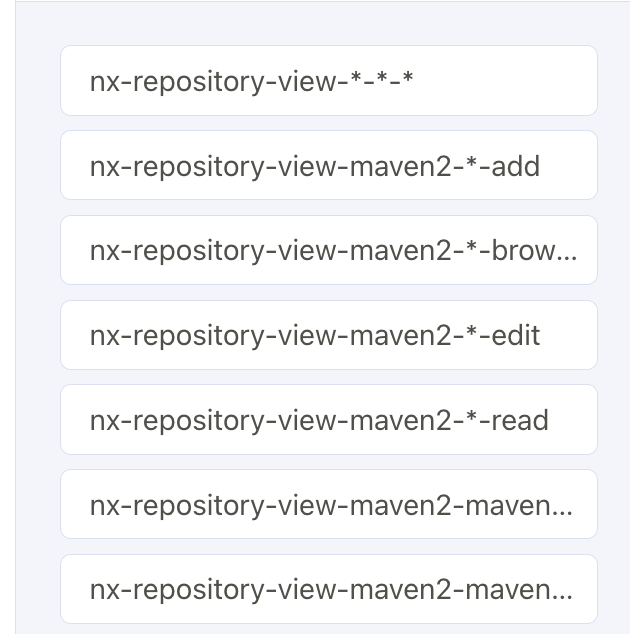
say we add maven-consumer, we will add these
troubleshoot the connection
I used this in my demo-system application to see if everything is ok
mvn dependency:resolve -X
I got into a bit of problem just because I didn’t agree to nexus’s agreement. I keep getting 403 back. I thought my maven-user password was mistyped, lack permissions in the maven-role role, etc.
What mvn clean package actually does
- Cleans previous build output (
target/folder) - Resolves dependencies — this is the part that talks to Nexus. Maven reads your
pom.xml, sees what libraries you need, and fetches them through your mirror (homelab-nexus→maven-public→ checksmaven-centralproxy if not cached) - Compiles + packages your own code into a
.jar(or.war, etc.) intarget/
the pom config explanation
| Direction | Config needed | Lives in |
|---|---|---|
| Pull dependencies | <mirror> |
settings.xml (global, all projects) |
| Push your artifact | <distributionManagement> |
pom.xml (per-project — deploy targets are project-specific by design, since different projects may publish to different repos) |
pom.xml
   <distributionManagement>  <!--this config is to push to my nexus-->
        <repository>
            <id>homelab-releases</id>
            <url>http://localhost:8081/repository/maven-releases/</url>
        </repository>
         <snapshotRepository>
            <id>homelab-snapshots</id>
            <url>http://localhost:8081/repository/maven-snapshots/</url>
        </snapshotRepository>
    </distributionManagement>
</project>
pushing to our registry
run mvn deploy will list our homelab-nexus repo and url we pulling from the mirror :
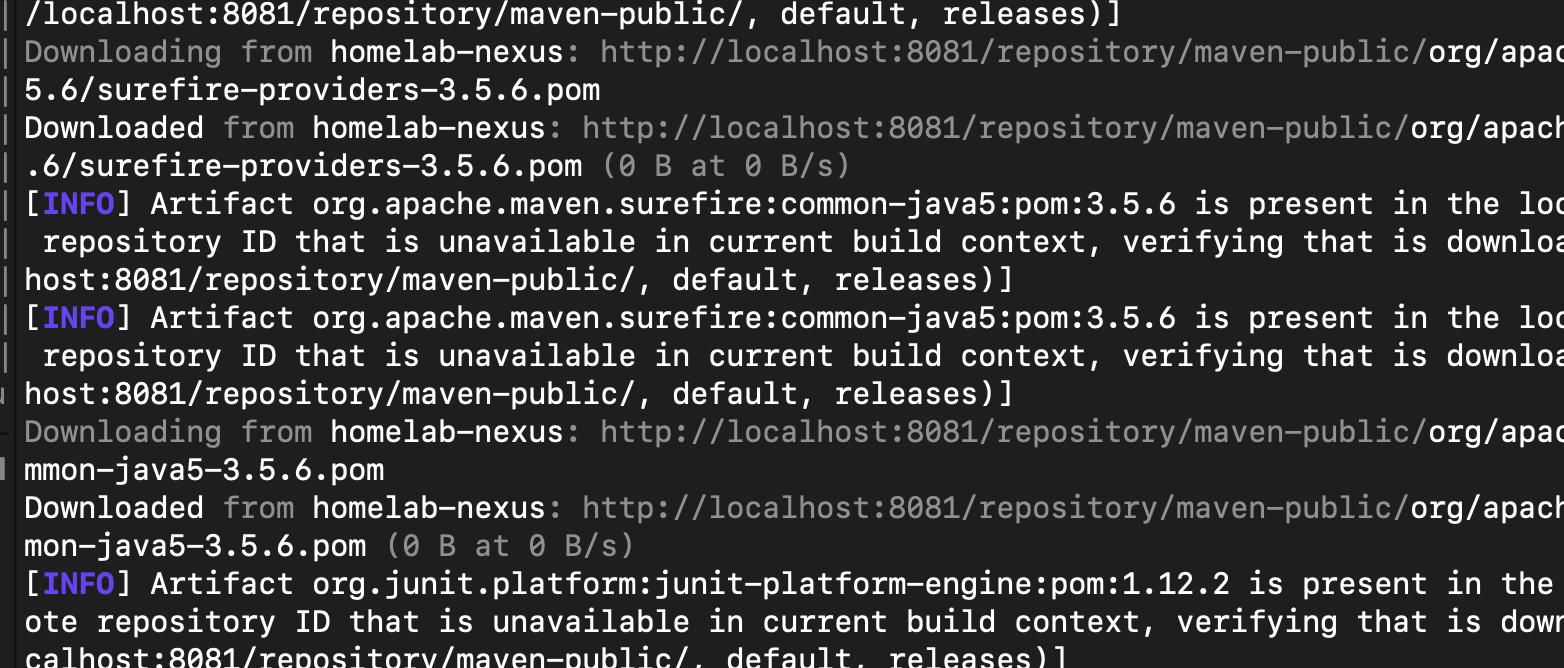
great repository pulling works! let’s try pushing
[ERROR] Failed to execute goal org.apache.maven.plugins:maven-deploy-plugin:3.1.4:deploy (default-deploy) on project demo-system:
Failed to retrieve remote metadata se.shirlenelimab:demo-system:0.0.1-SNAPSHOT/maven-metadata.xml:
Could not transfer metadata se.shirlenelimab:demo-system:0.0.1-SNAPSHOT/maven-metadata.xml from/to nexus-snapshots
(http://localhost:8081/repository/maven-snapshots/): status code: 401, reason phrase: Unauthorized (401) -> [Help 1]
[ERROR]
ops! let’s check it out. I had a typo in my settings.xml, I had hoemlab-snapshots instead of homelab-snapshots.
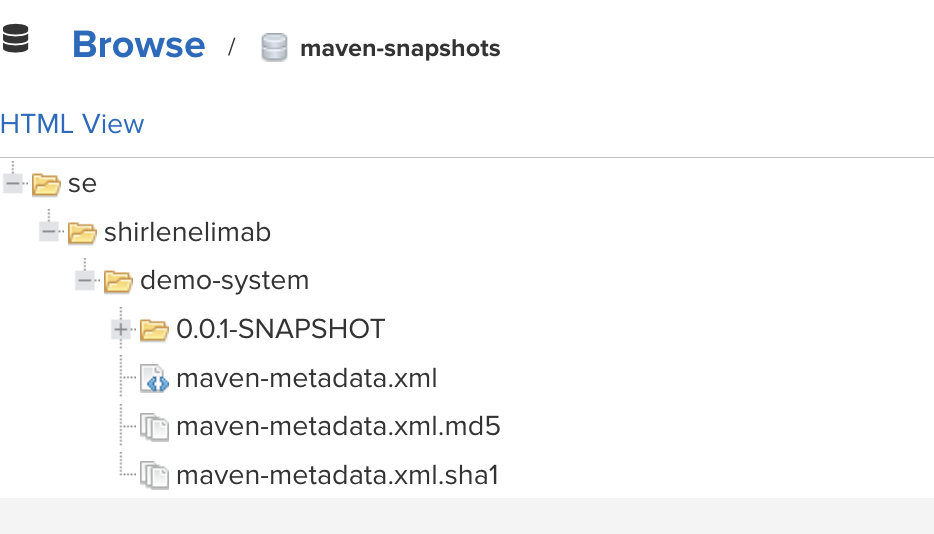
we have to add the server for the snapshot repo in the settings.xml, so maven can push pull to it. So here’s the snapshot in my repository.